> ## Documentation Index
> Fetch the complete documentation index at: https://docs.civic.com/llms.txt
> Use this file to discover all available pages before exploring further.
# Civic Control Plane
> Configure toolkits, query audit logs, and revoke access via natural language at app.civic.com
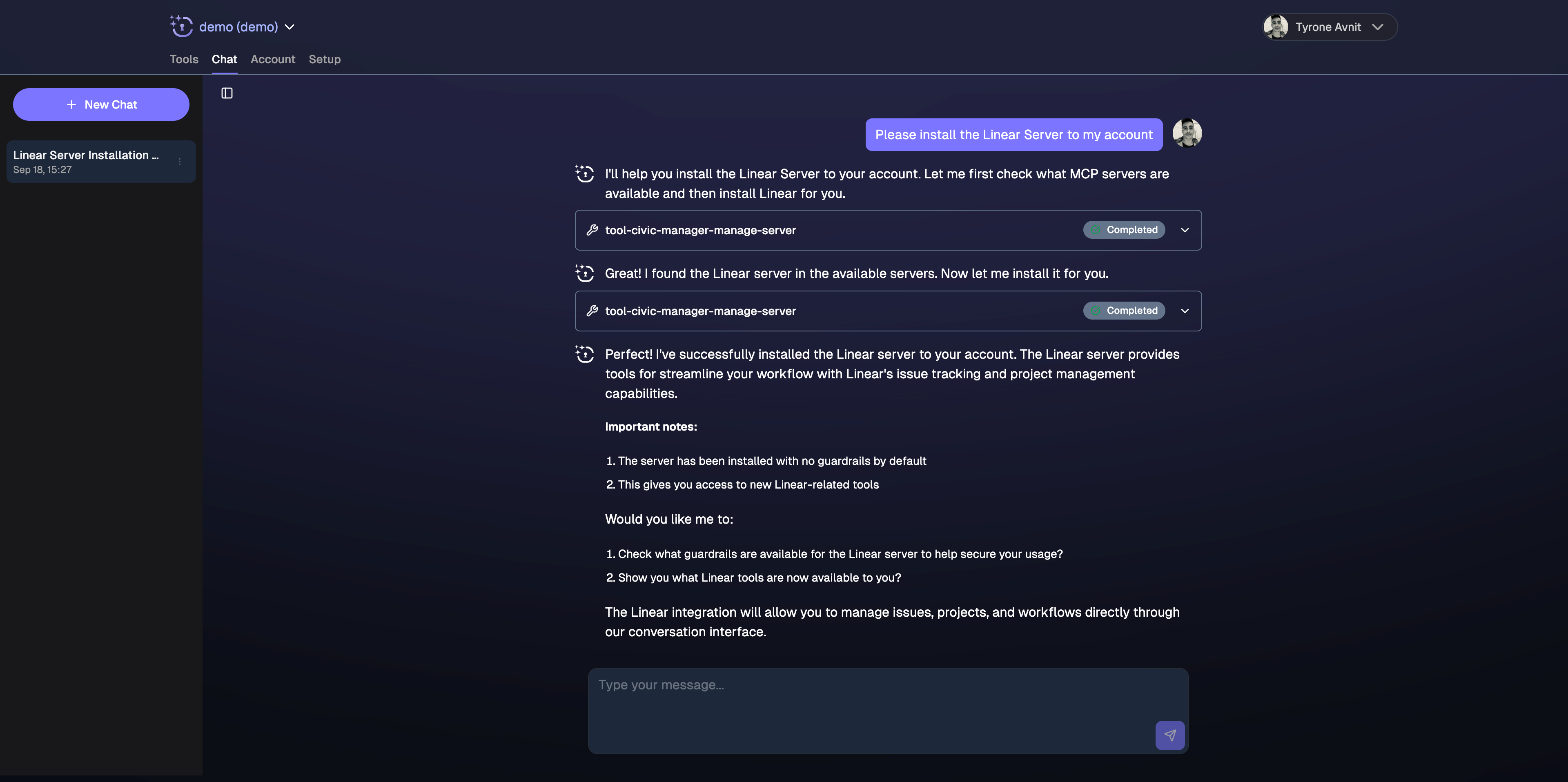
Civic Chat at [app.civic.com](https://app.civic.com) is your control plane for AI agent security — not a general-purpose AI assistant. It is purpose-built for three tasks: configuring your Hub, querying audit logs, and revoking access.
**Civic Chat is restricted to control-plane tasks only.** Requests outside of configuration, audit, and revocation are blocked. All Civic Chat commands consume credits from the same pool as your agents' tool calls — use it deliberately.
Three specialized agents are available, each purpose-built for a different control task.
 ## Sign In
Visit [app.civic.com](https://app.civic.com) and sign up. Your free trial includes 10,000 credits valid for 14 days.
## Sign In
Visit [app.civic.com](https://app.civic.com) and sign up. Your free trial includes 10,000 credits valid for 14 days.
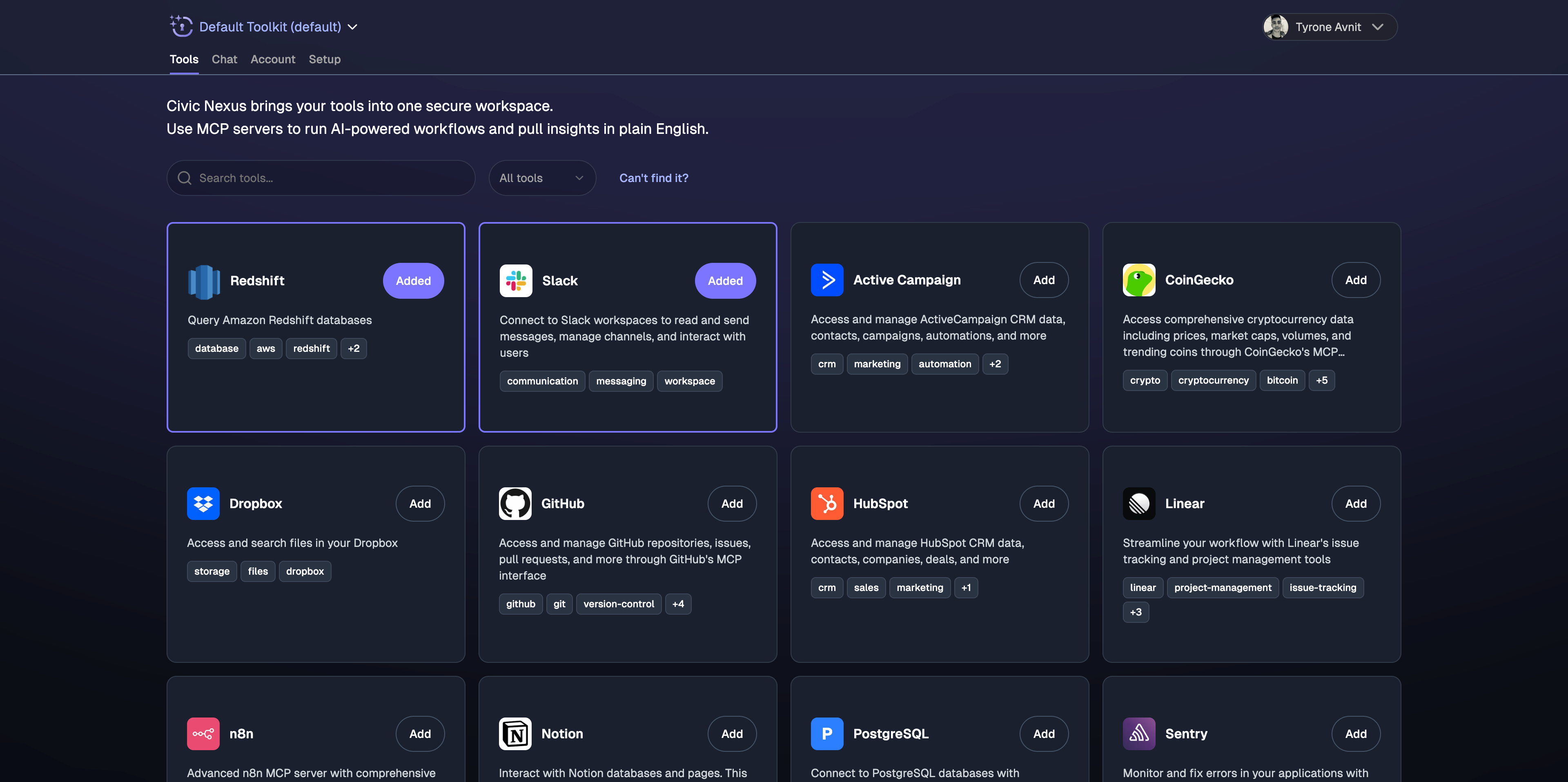 Select your AI agent framework and the tools you want to connect. After onboarding, you land in the Chat interface.
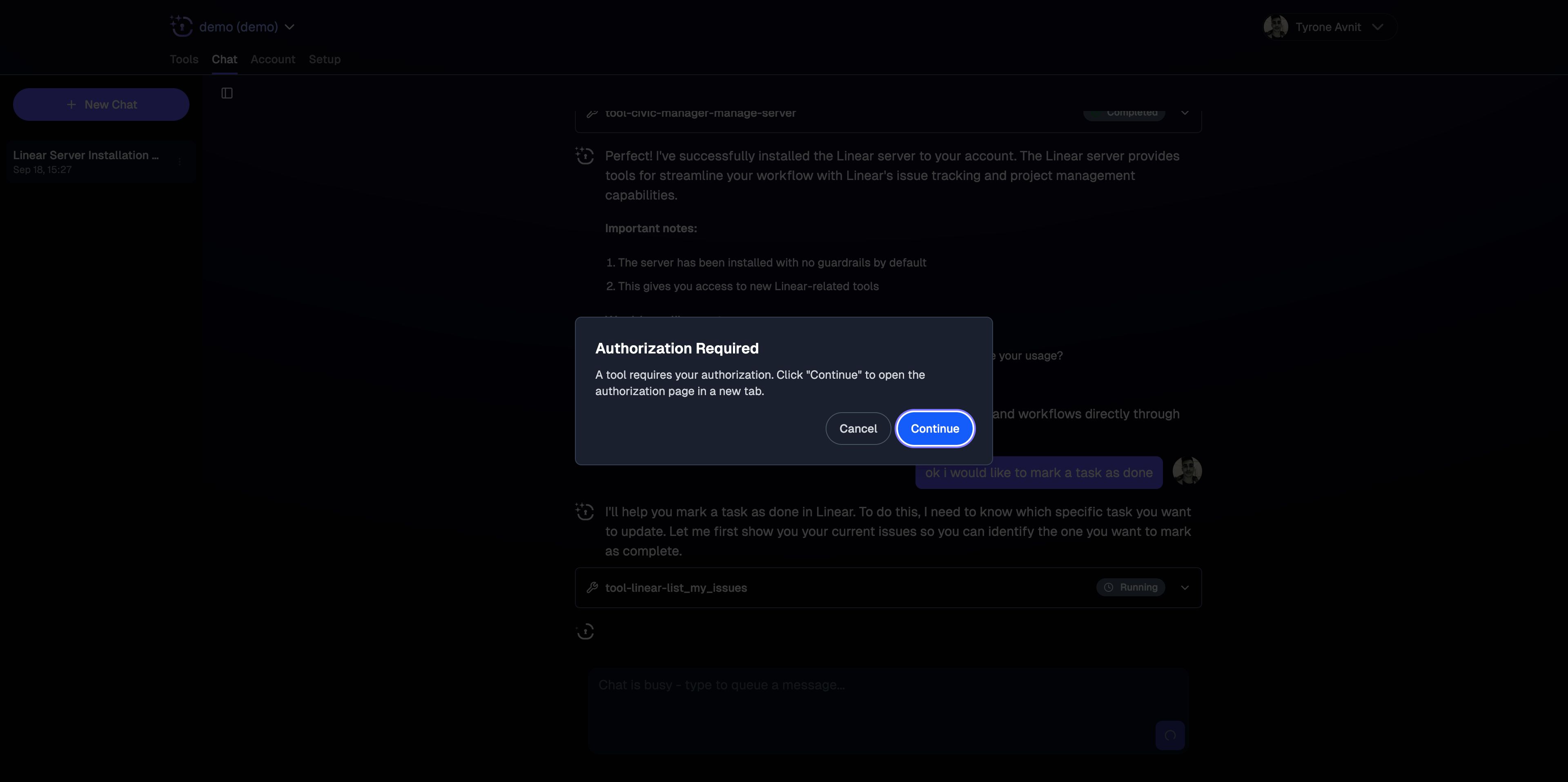
You now have access to the Configurator Agent, Audit Agent, and Revocation Agent — each described below.
Select your AI agent framework and the tools you want to connect. After onboarding, you land in the Chat interface.
You now have access to the Configurator Agent, Audit Agent, and Revocation Agent — each described below.
 ***
## Configurator Agent
Set up toolkits, add guardrails, and manage secrets via natural language. Changes take effect immediately in the Hub.
**Example prompts:**
```
"Create a toolkit for my support agent with Gmail and Slack, read-only"
```
```
"Add a guardrail to block the delete_event tool on my Calendar server"
```
```
"Add my Notion API key to my secrets"
```
```
"Show me my active guardrails"
```
```
"Clone my production toolkit and add a guardrail blocking send_gmail_message"
```
Configurator Agent commands consume credits from the same pool as tool calls.
***
## Audit Agent
Query your agent's complete activity log. The Audit Agent can answer questions about what your agent did, when, and with what parameters.
**What's logged:** every tool call, tool name, parameters, response, timestamp, and agent identity. Retained for approximately 30 days.
**Example prompts:**
```
"What did my agent do in the last 24 hours?"
```
```
"Show me every tool call from yesterday with timestamps"
```
```
"Export my audit log as a CSV"
```
```
"Did my agent try to delete anything this week?"
```
```
"Show me a summary of tool usage for the production-agent toolkit this month"
```
Three output formats available:
* **Aggregated summary** — high-level overview of what happened
* **Line-by-line detail** — every tool call with full parameters and responses
* **CSV export** — up to 5,000 lines per export, downloadable
Audit access is currently via Civic Chat only. A UI view is coming soon.
***
## Revocation Agent
Revoke access instantly at any granularity. Revocation is immediate — no delay, no grace period.
**Example prompts:**
```
"Block the send_email tool on my Gmail server immediately"
```
```
"Revoke all access for my production-agent toolkit"
```
```
"Remove Google Calendar from my agent's permissions"
```
```
"Block the delete_event tool on Calendar but keep the rest"
```
**Why Chat-only for revocation:** The Civic Chat endpoint is separated from the AI agent layer by design. If revocation were available via the same API your agent calls, a compromised agent could revoke its own constraints or another agent's access. The human-in-the-loop requirement is intentional.
You can also revoke via the UI at [app.civic.com → Authorizations](https://app.civic.com/web/authorizations) → Revoke.
***
## Credits
Civic Chat — including all Configurator, Audit, and Revocation commands — consumes credits from the same pool as tool calls made by your agents.
Free trial: 10,000 credits, 14 days. Paid plans from \$25/month.
## Next Steps
Learn what guardrails can and can't do
Full reference for audit logs and CSV export
Four levels of revocation from surgical to nuclear
How Civic stores and isolates credentials
***
## Configurator Agent
Set up toolkits, add guardrails, and manage secrets via natural language. Changes take effect immediately in the Hub.
**Example prompts:**
```
"Create a toolkit for my support agent with Gmail and Slack, read-only"
```
```
"Add a guardrail to block the delete_event tool on my Calendar server"
```
```
"Add my Notion API key to my secrets"
```
```
"Show me my active guardrails"
```
```
"Clone my production toolkit and add a guardrail blocking send_gmail_message"
```
Configurator Agent commands consume credits from the same pool as tool calls.
***
## Audit Agent
Query your agent's complete activity log. The Audit Agent can answer questions about what your agent did, when, and with what parameters.
**What's logged:** every tool call, tool name, parameters, response, timestamp, and agent identity. Retained for approximately 30 days.
**Example prompts:**
```
"What did my agent do in the last 24 hours?"
```
```
"Show me every tool call from yesterday with timestamps"
```
```
"Export my audit log as a CSV"
```
```
"Did my agent try to delete anything this week?"
```
```
"Show me a summary of tool usage for the production-agent toolkit this month"
```
Three output formats available:
* **Aggregated summary** — high-level overview of what happened
* **Line-by-line detail** — every tool call with full parameters and responses
* **CSV export** — up to 5,000 lines per export, downloadable
Audit access is currently via Civic Chat only. A UI view is coming soon.
***
## Revocation Agent
Revoke access instantly at any granularity. Revocation is immediate — no delay, no grace period.
**Example prompts:**
```
"Block the send_email tool on my Gmail server immediately"
```
```
"Revoke all access for my production-agent toolkit"
```
```
"Remove Google Calendar from my agent's permissions"
```
```
"Block the delete_event tool on Calendar but keep the rest"
```
**Why Chat-only for revocation:** The Civic Chat endpoint is separated from the AI agent layer by design. If revocation were available via the same API your agent calls, a compromised agent could revoke its own constraints or another agent's access. The human-in-the-loop requirement is intentional.
You can also revoke via the UI at [app.civic.com → Authorizations](https://app.civic.com/web/authorizations) → Revoke.
***
## Credits
Civic Chat — including all Configurator, Audit, and Revocation commands — consumes credits from the same pool as tool calls made by your agents.
Free trial: 10,000 credits, 14 days. Paid plans from \$25/month.
## Next Steps
Learn what guardrails can and can't do
Full reference for audit logs and CSV export
Four levels of revocation from surgical to nuclear
How Civic stores and isolates credentials